
Designing Safety Features to Reduce Accidents & Save Lives
Background
When I joined Derive there were a host of highly complex and ambitious safety features on the VQ Driver app's product roadmap that I took responsibility for researching, designing, prototyping, and testing. These features presented a range of challenges when considering phone support, vehicle type, driving conditions, audio accessibility, etc.
By collaborating with a cross-functional team and guiding multiple research and testing campaigns, I was able to validate which new features to pursue and which to avoid. This process involved some advanced prototyping, video production, and even some audio design.
Company
Customer
Team
Contributions
Project Duration
Challenges
By The Numbers
The following statistics are from the National Highway Traffic Safety Administration and represent issues that my team attempted to address when adding features to the VQ Driver app. Because our app was used by many thousands of fleet drivers each day, our potential to have a positive impact on each of these statistics was significant.
Distracted Driving
That's the number of fatalities from distracted driving in 2020. Texting and phone usage was a major contributor to that total.
Speeding
Here's the number of speed-related fatalities from 2019. The total number of injury accidents and amount of property damage related to speeding is hard to imagine.
Seatbelt Usage
That's the percentage of those killed in 2019 who were not buckled up. While thankfully seatbelt usage in the U.S. remains high, unrestrained drivers experience some of the worst injuries from collisions.
Process Overview
Adapting the Road Show
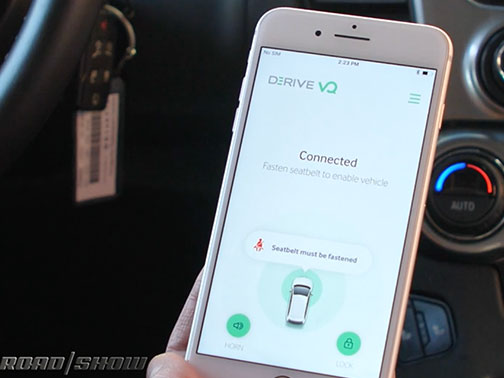
At the same time I began incorporating new features into Driver, I continued feature development and optimization of the Road Show. This helped inform some of the decisions made for the Driver app by allowing myself and a mobile dev to run tests and experiments that weren't practical elsewhere.
I also quickly became the Road Show demo expert, providing live road demonstrations to potential new hires, office guests, and customers. This turned out to be a great way of frequently gauging new people's reactions to design decisions.
Hitting the Road, Building Personas
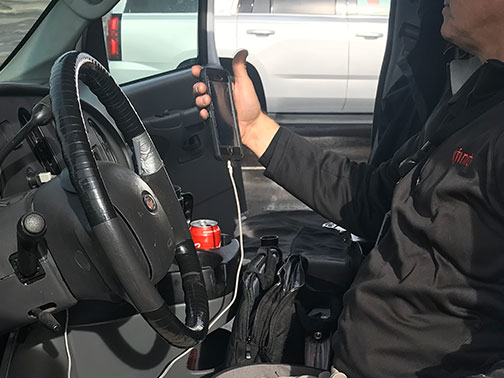
Speaking directly with drivers was an essential part of building meaningful and relevant personas. Because fleet drivers spent so much time in their vehicles, it was important to take into consideration their relationship with and perceptions of that space. For many drivers, their vehicles became a very personal place—an important point that I frequently stressed to the team when considering new functionality.
Prototypes + Context
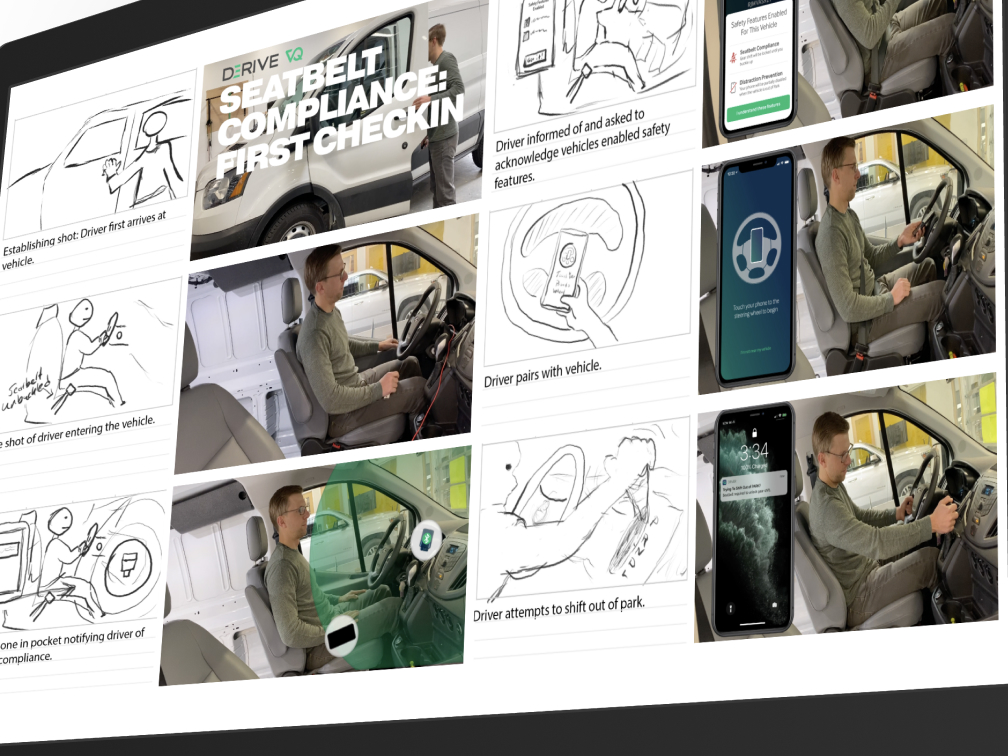
Lights, Camera, Shared Understanding
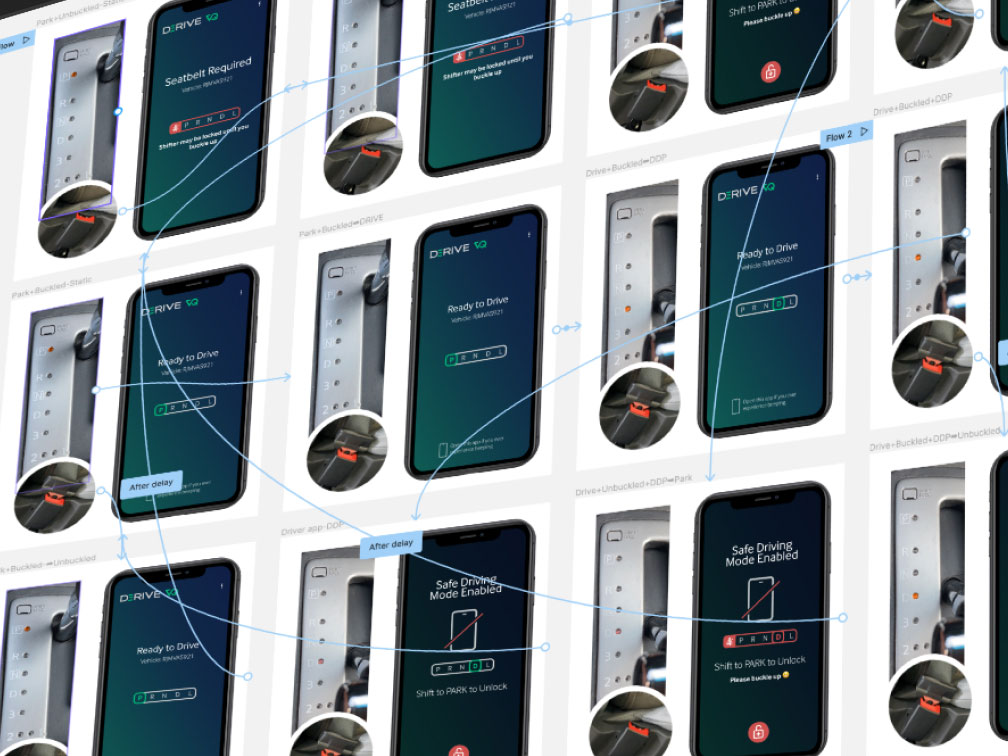
I collaborated with the product manager to create storyboards, record the video sequences, and edit them together with appropriately placed references to my prototype screens. These videos were shared with the various stakeholders for approval and eventually embedded into the product documentation to serve as a reference for developers.
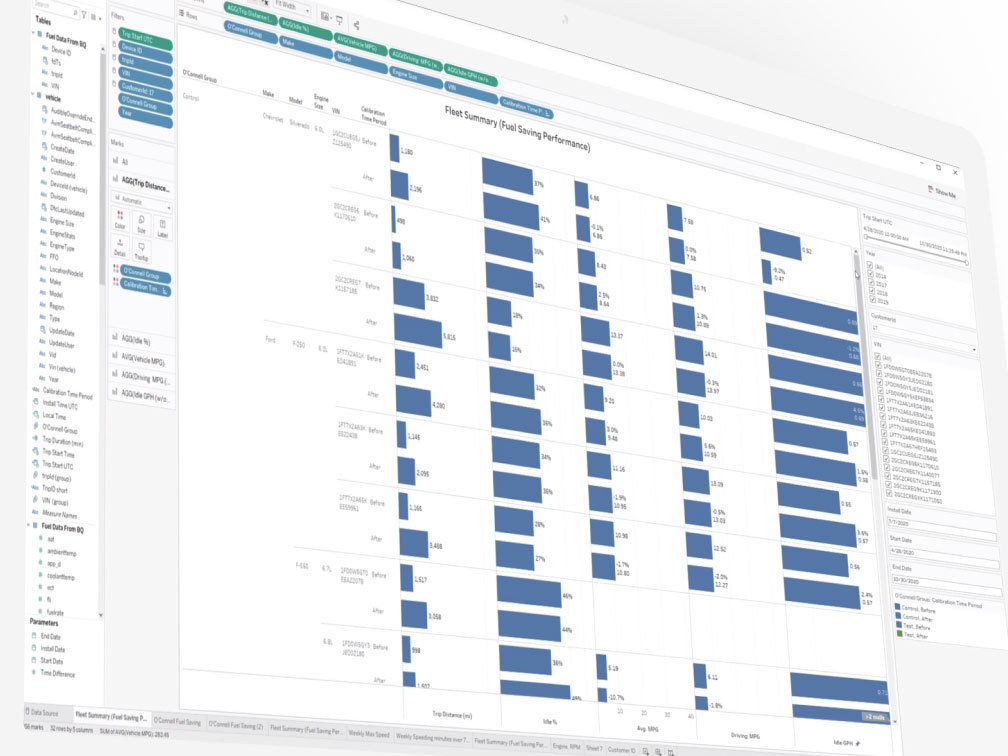
Watching the Data 👀
Features
Distracted Driver Prevention (DDP)
Preventing phone-based distractions with vehicle-to-phone communication
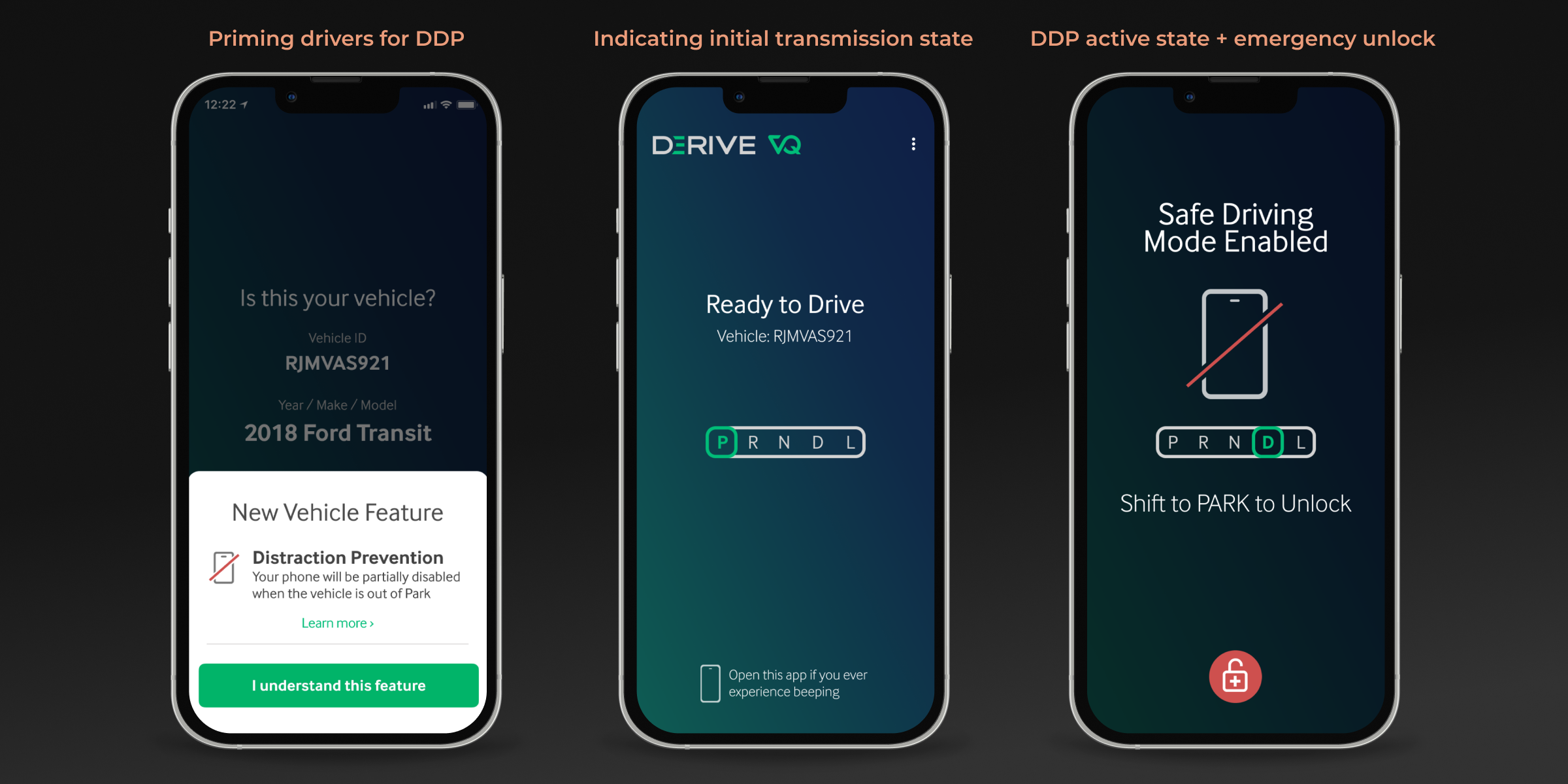
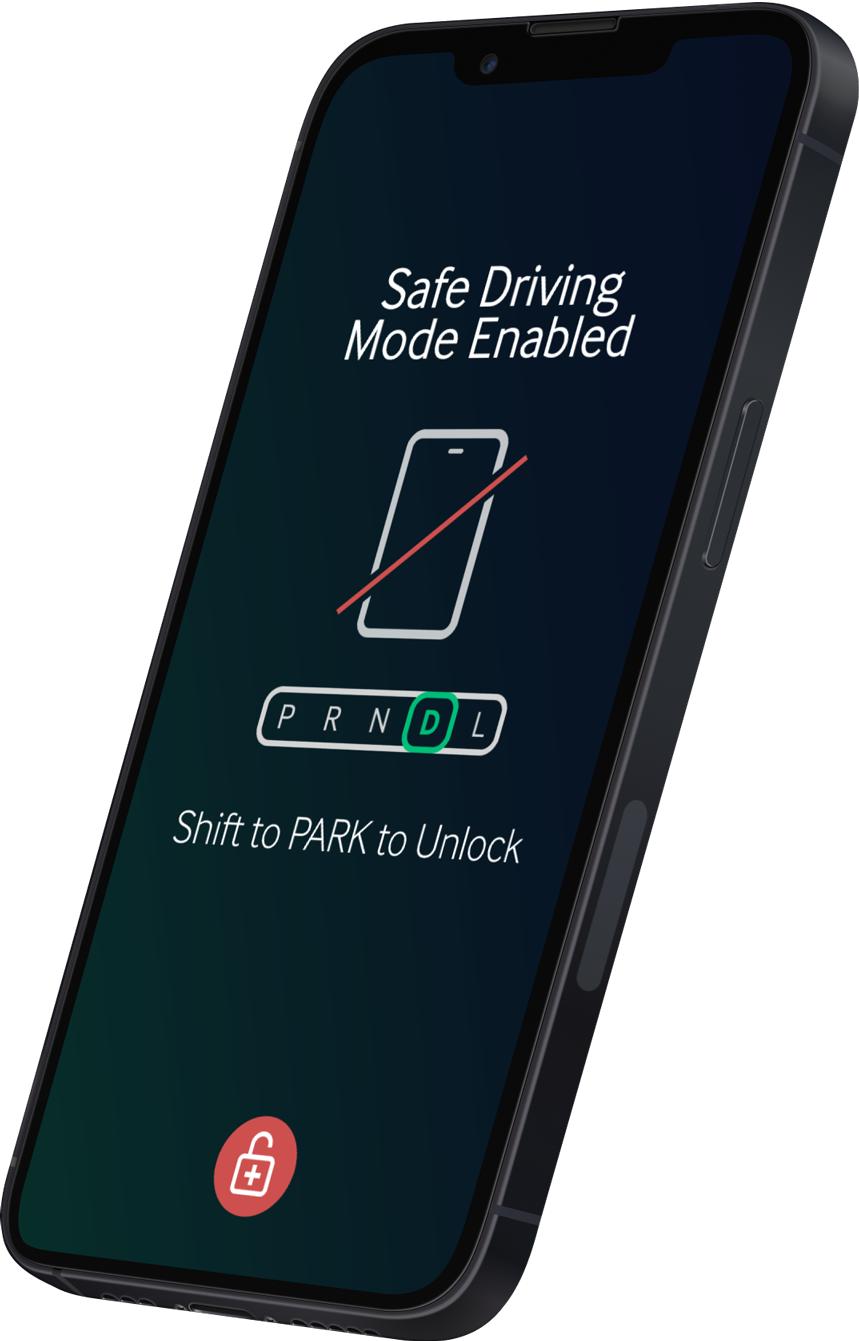
UI simplicity was key in the VQ Driver app—both as a means of avoiding distraction and out of respect for drivers' time and attention. When drivers first connected or returned to a DDP-enabled vehicle, they'd receive a brief primer about the feature. Before beginning their first DDP trip, drivers would need to either acknowledge the new feature, or tap a link to view an explainer about what to expect. In addition to the design, I provided much of the microcopy for these interactions.
Emergency Unlock
One of the elements of DDP that I advocated for and was eventually included in the app was emergency unlock. In the unlikely case that a vehicle was involved in an accident or a major malfunction occurred, drivers might need to circumvent the DDP feature and unlock their phone while the vehicle was out of park. To prevent the unlock feature from being abused, I paired it with a confirmation prompt letting drivers know that use of the feature was tied to a supervisor notification. This was further tied to a 5-second timer allowing drivers to cancel an unintended emergency unlock.
Seatbelt Dependent Start (SDS)
Disabling vehicle movement until a driver was safely buckled
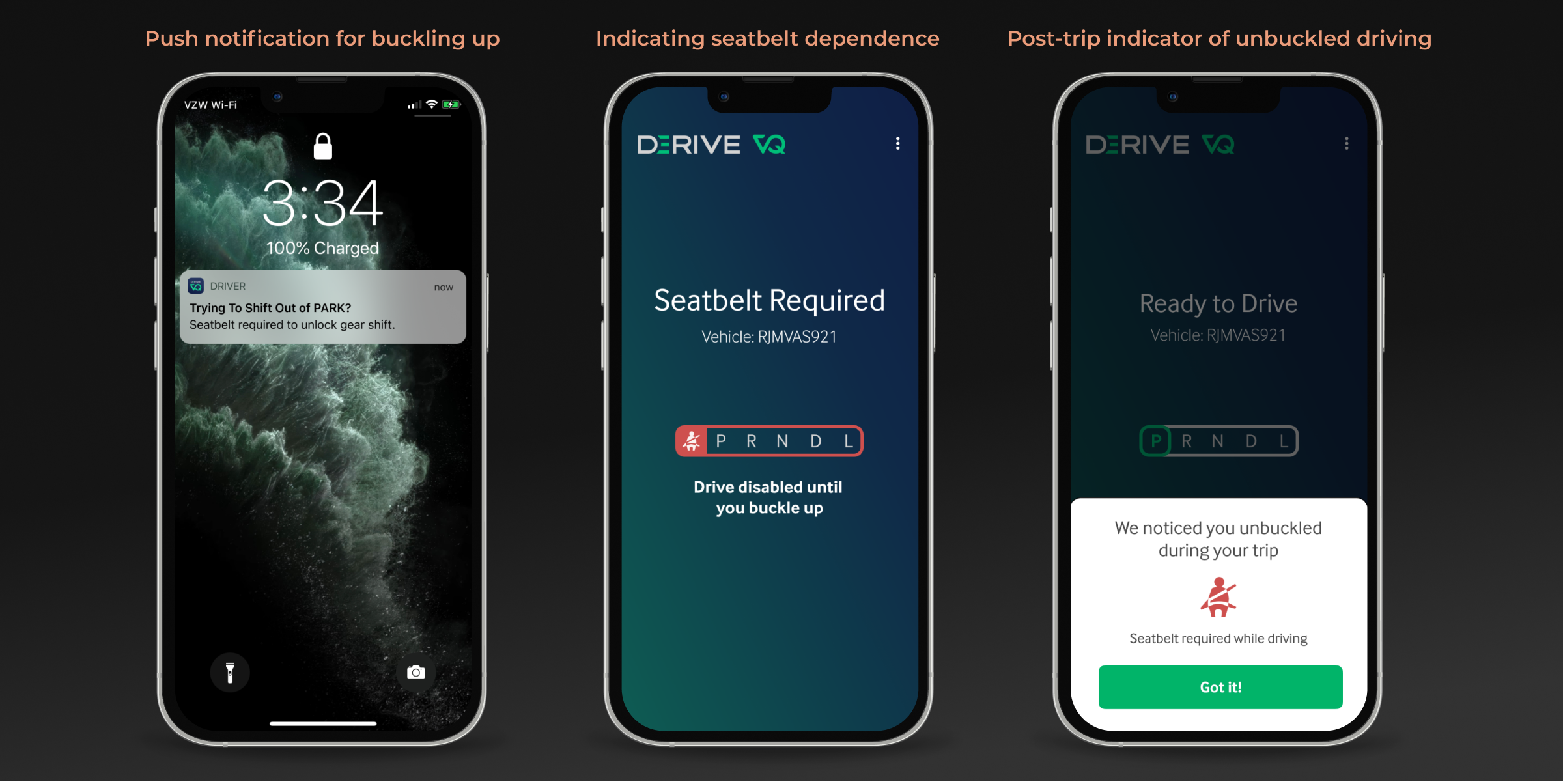
Going a step further from the seatbelt chime that exists in most vehicles, the SDS feature partially disabled a vehicle by locking the shifter until its driver was buckled. If a driver unbuckled during a trip and continued driving, this would trigger a post-trip notification indicating that the behavior had been detected and logged.
One part of this feature that I discovered from speaking with one of the firmware engineers was the ability to detect attempted shifting while the transmission shifter was locked. This allowed us to send a push notification to the driver in the event they were unaware or had forgotten why the shifter was not working. This was an example of a complex interaction that benefited greatly from my ability to storyboard and generate video demonstrations.
Speeding Prevention
Detecting posted speed via GPS and regulating it through the app
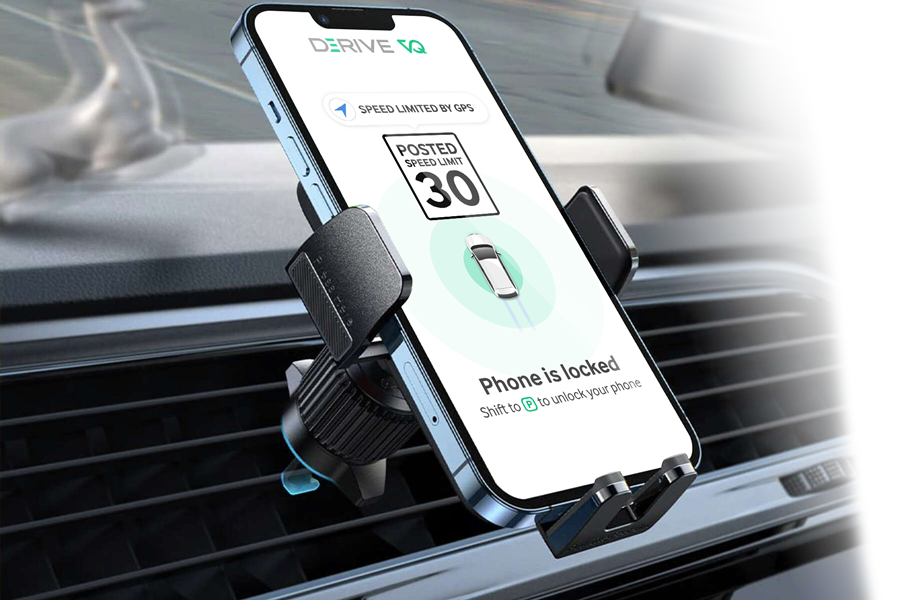
Because of the significant development hurdles, most of my work on this feature remained in the Sales Road Show app, one of the splashier parts of that demo.
Conclusion
The Driver app was easily the most challenging project that I undertook at Derive Systems. The technical hurdles and requisite design compromises alone made it difficult. Compounding those challenges was navigating the complex relationship between a highly-sought-after driver workforce and their employer, eager to find a balance between implementing safety features and keeping drivers happy. This political balance on the customer side made it especially difficult to advocate for adequate testing of feature updates, and I learned a great deal about being successful in that through my collaboration with product management, sales, and executive leadership.
Business Impact
- Improved customer satisfaction according to Sales and executive leadership
- Eliminated phone distraction on hundreds of DDP-enabled vehicles as measured by firmware analytics tools
- Simplified early stages of the sales pipeline by producing clear and concise video demonstrations and prototypes